Shortcuts for Cells
For the following commands, make sure you’re in command mode. You can enter this mode by pressing esc.
a: create a cell aboveb: create a cell belowdd: delete current cellm: convert a cell to markdown (text cell)y: convert a cell to code
Running Cells
For individual cells,
ctrl+return: run the current cellshift+return: run the current cell and move to the next cell
To run all cells in a notebook:
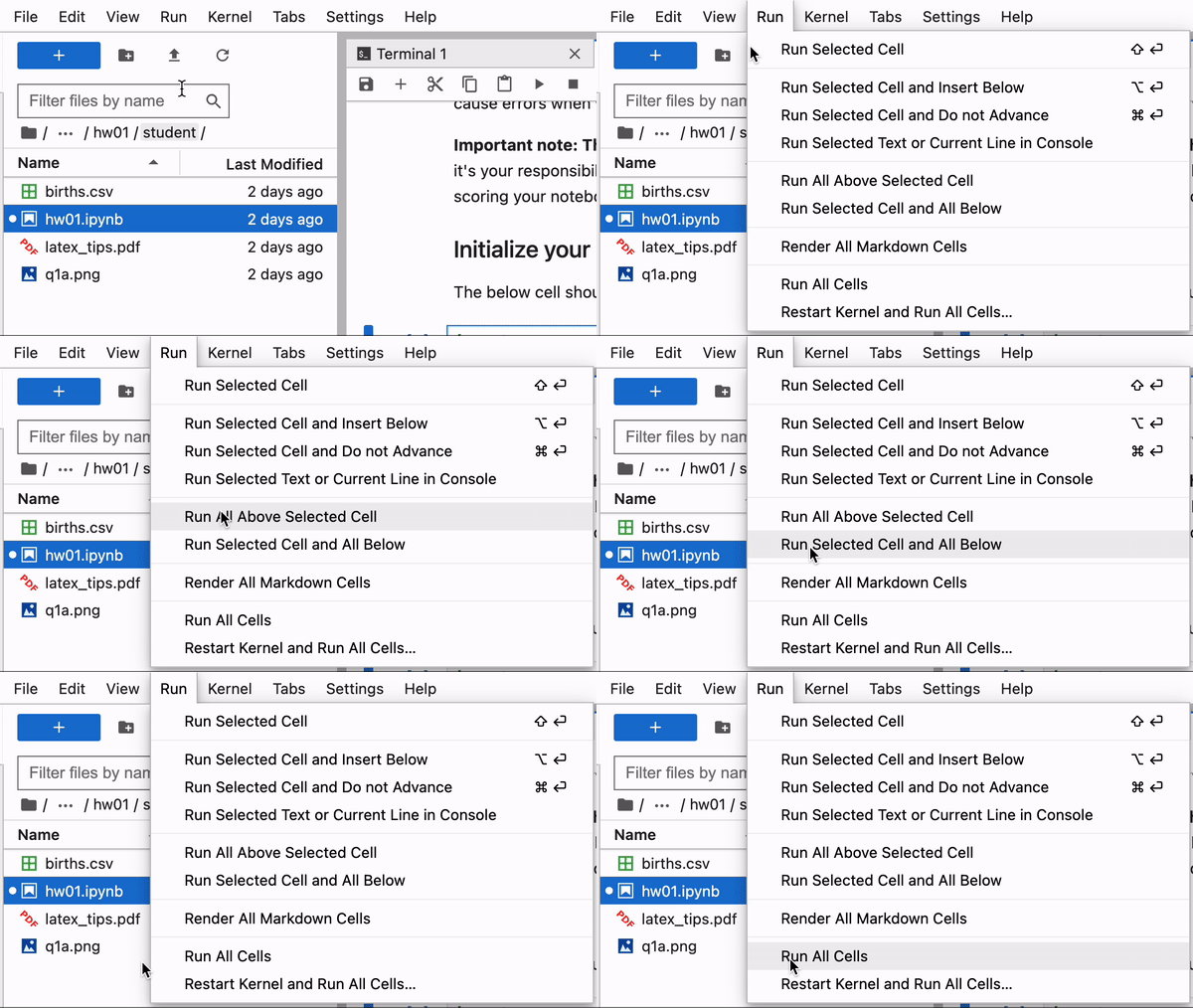
In the menu bar on the left, click
Run. From here, you have several options. The ones we use most commonly are:Run All Above Selected Cell: this runs every cell above the selected cellRun Selected Cell and All Below: this runs the selected cell and all cells belowRun All: this runs every cell in the notebook from top-to-bottom
Saving your notebook
Jupyter autosaves your work, but there can be a delay. As such, it’s a good idea to save your work as often as you remember and especially before submitting assignments. To do so, press ctrl + s.
Restarting Kernel
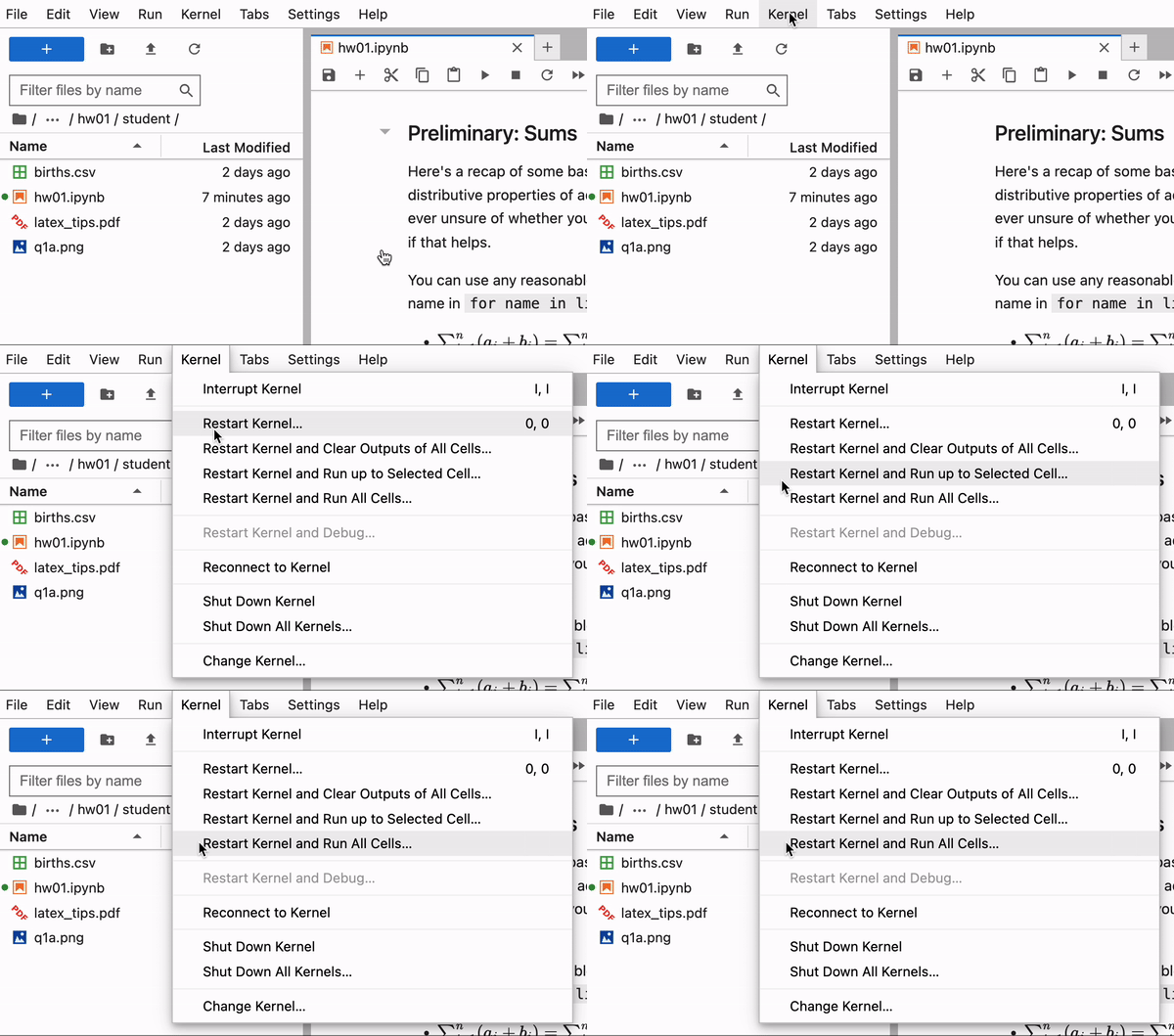
In the menu bar on the left, click Kernel. From here, you have several options. The ones we use most commonly are:
Restart Kernel...Restart Kernel and Run up to Selected CellRestart Kernel and Run All Cells
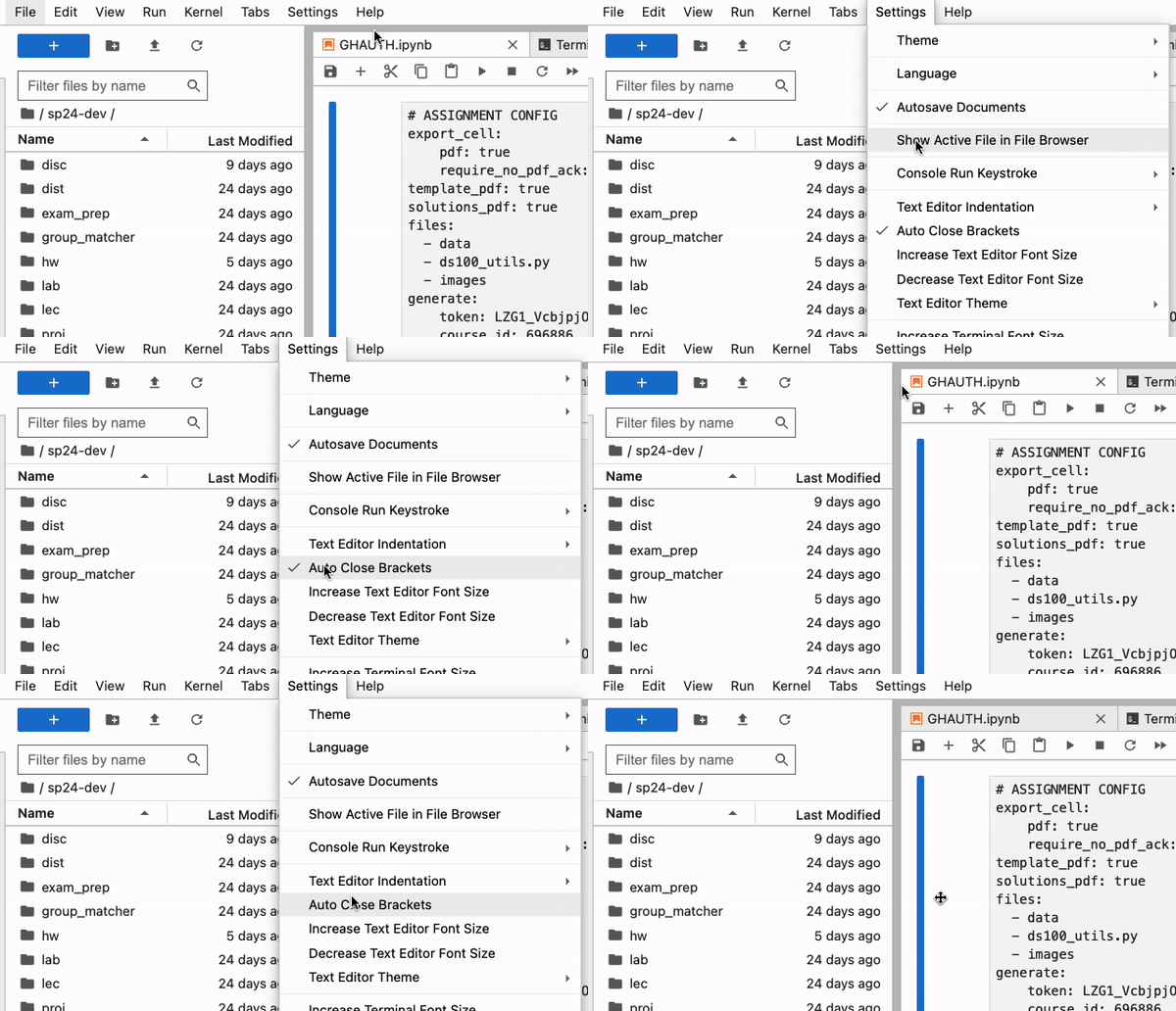
Automatically Closing Brackets
Many IDEs like VSCode have a functionality that automatically closes brackets. For example, pressing (, {, or [ would automatically add the second bracket at the other end ), }, and ], respectively. Datahub does not have this functionality turned on by default, but you can do so by going into Settings -> Auto Close Brackets. If you see a check mark to the left of Auto Close Brackets, then it’s enabled.